


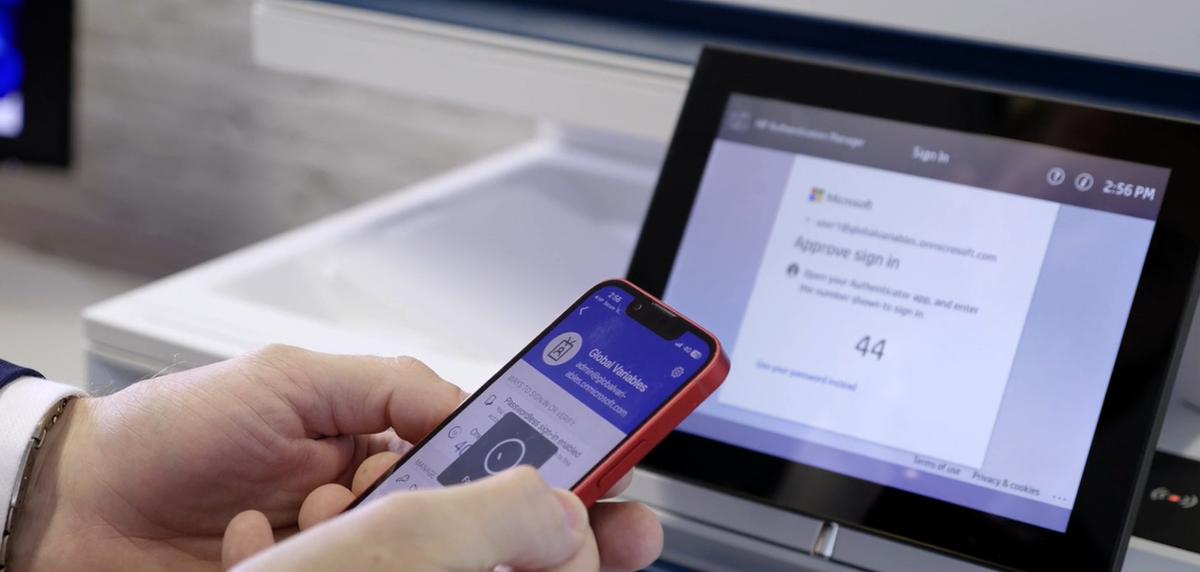
HP Secure Authentication Mobile App
The User Trust Bridge for Secure Access to HP Multi-Function Printers
Executive Summary
HP Secure Authentication Mobile App transforms a user’s mobile phone into a trusted authentication device for accessing HP Multi-Function Printers (MFPs). When managed by Microsoft Intune, the mobile device becomes a User Trust Bridge—linking user identity, device compliance, and printer trust into a single, policy-enforced access flow.
The solution enables passwordless, phishing-resistant print and scan workflows, enforcing Zero Trust principles directly at the printer edge.
The Challenge
Printers remain one of the least governed endpoints in enterprise environments:
Shared devices accessed by many users
Weak or inconsistent authentication methods
Limited enforcement of Conditional Access
Difficulty aligning printers with Zero Trust strategies
Organizations need a way to extend Microsoft identity and device trust controls to HP MFPs—without degrading user experience.
The Solution: Intune-Managed User Trust Bridge
HP Secure Authentication Mobile App acts as the trusted intermediary between the user and the printer:
The user is verified via Microsoft identity
The mobile phone is validated by Intune compliance
The printer is accessed only after trust is established
This creates a secure, modern authentication chain from user → device → printer → workflow.
-
App deployed and governed via Intune
Enforced device compliance (PIN, biometrics, encryption, OS version)
-
Biometric or device-bound authentication
Integrated with Microsoft Entra ID policies
-
User authenticates at the HP MFP using the mobile phone
Token-based session is established (no passwords at the device)
-
Conditional Access evaluates user, device, and context
Only trusted sessions can release print jobs or initiate scans
Key Capabilities
Identity-Centric Authentication
Passwordless print release and scan initiation
Phishing-resistant authentication flows
No shared PINs, badges, or static credentials
Intune Device Trust Enforcement
Requires Intune-compliant mobile device
Enforces biometric unlock and security posture
Blocks access from unmanaged or compromised devices
Zero Trust for Printers
Continuous validation of user and device
Trust is never implicit—always verified
Extends Zero Trust beyond PCs to MFPs
Secure Print & Scan Workflows
Secure print release at HP MFPs
Authenticated scan-to-Microsoft 365 destinations
User-specific access to workflows and content
Why HP Secure Authentication + Intune
Uses devices users already trust—their phones
Leverages existing Microsoft security investments
Brings modern identity controls to legacy printer environments
Delivers enterprise-grade security without user friction
Security & Compliance Benefits
Eliminates password and badge-based printer access
Reduces risk of unauthorised document access
Supports regulatory frameworks (ISO 27001, NIST, SOC 2, Essential Eight)
Aligns printers with enterprise Conditional Access strategy
Operational Benefits
Unified identity model across PCs, mobiles, and printers
Reduced helpdesk calls for PIN resets and badge issues
Faster user authentication with familiar mobile experience
Consistent enforcement across all HP MFPs
| Layer | Role |
|---|---|
| Identity Plane | Microsoft Entra ID |
| User Device Plane | Intune-managed mobile phone |
| Authentication Plane | HP Secure Authentication Mobile App |
| Trust Broker | HP Authentication Manager (HPAM) |
| Device Plane | HP Multi-Function Printers |
| Workflow Plane | Print & Scan workflows (M365 integrated) |
Want More Information on HPSA
Secure print release in Zero Trust environments
Healthcare, government, and regulated industries
Hybrid and mobile-first workforces
Organisations standardising on Microsoft Intune and Entra
Summary
HP Secure Authentication Mobile App, managed by Microsoft Intune, establishes a User Trust Bridge that securely connects identity, device compliance, and HP MFP access. It enables organisations to treat printers as first-class Zero Trust endpoints, delivering secure, passwordless, and policy-driven print and scan workflows.